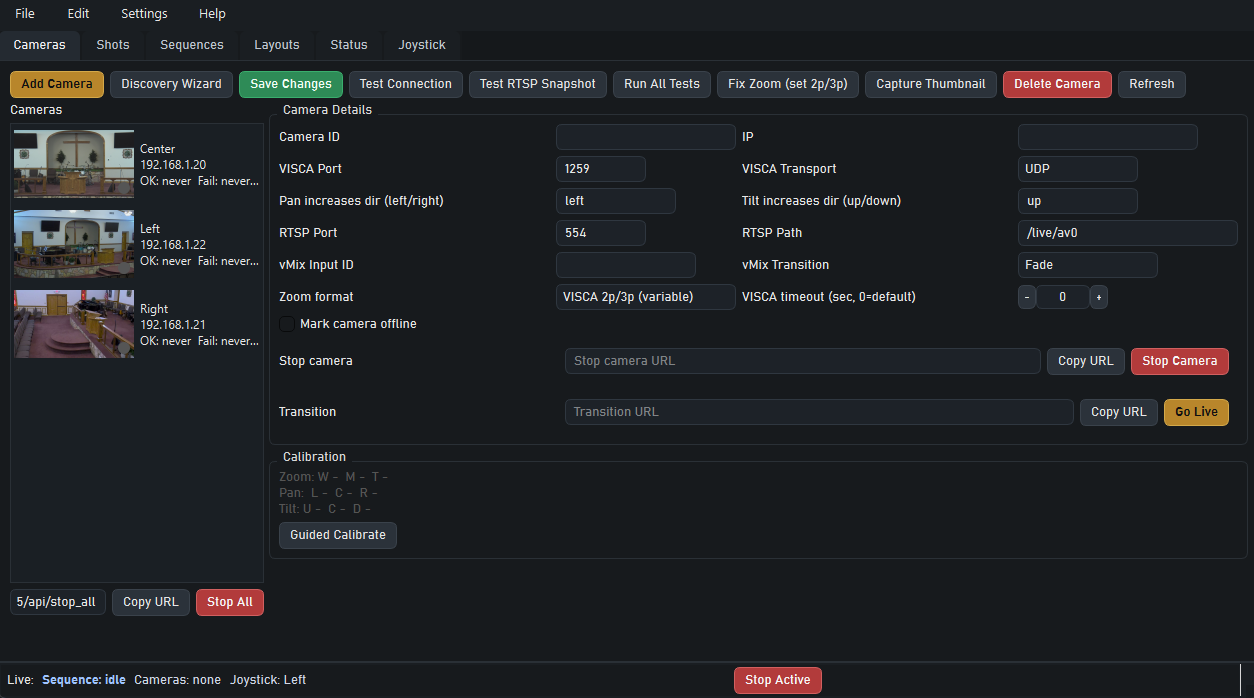
Cameras and connection setup
Manage camera discovery, transport settings, calibration, and quick live actions from one place.
Sync Shot Labs presents
PTZ Shot Director helps you program repeatable camera moves, trigger saved shots instantly, run multi-camera sequences, and control PTZ workflows from one desktop app.
Built for church production teams, event operators, stream directors, and PTZ workflows that need consistency under pressure.
Operator workflow
Why it matters
Live production leaves very little margin for missed framing, late camera moves, or inconsistent transitions. PTZ Shot Director gives operators a better way to work by turning saved camera positions and movement paths into repeatable, triggerable shots.
Save the positions you need, build the moves you want, and trigger them the same way every time whether your team is running Sunday services, special events, or a tighter live production schedule.
Inside the app
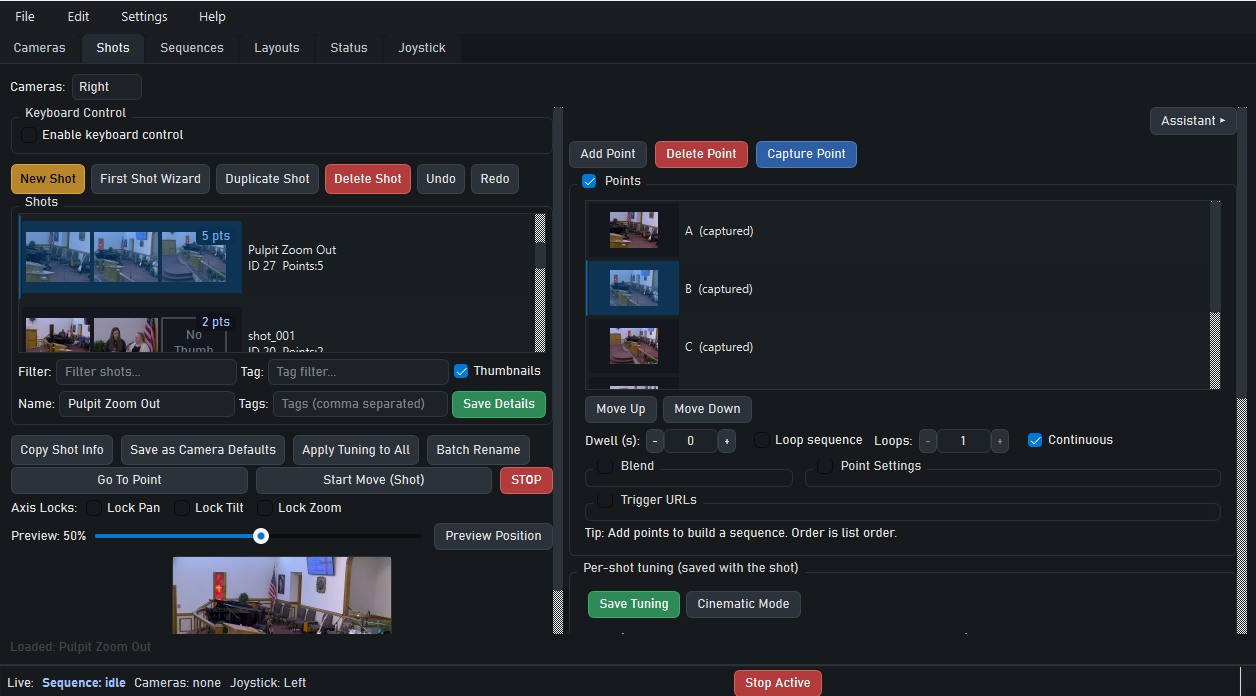
Operators can see the exact tabs they will use to manage cameras, program shots, build sequences, launch layouts, and monitor joystick activity during a live run.
Manage camera discovery, transport settings, calibration, and quick live actions from one place.
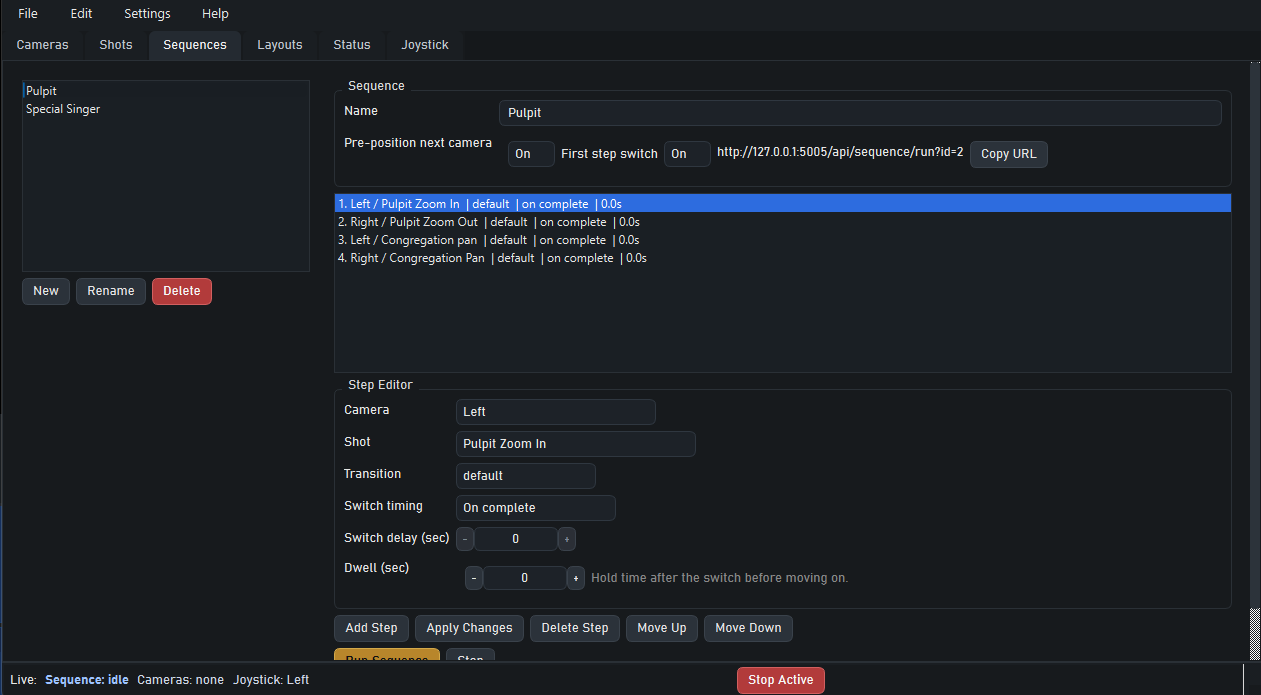
Build timed shot lists and step logic for smooth multi-camera transitions.
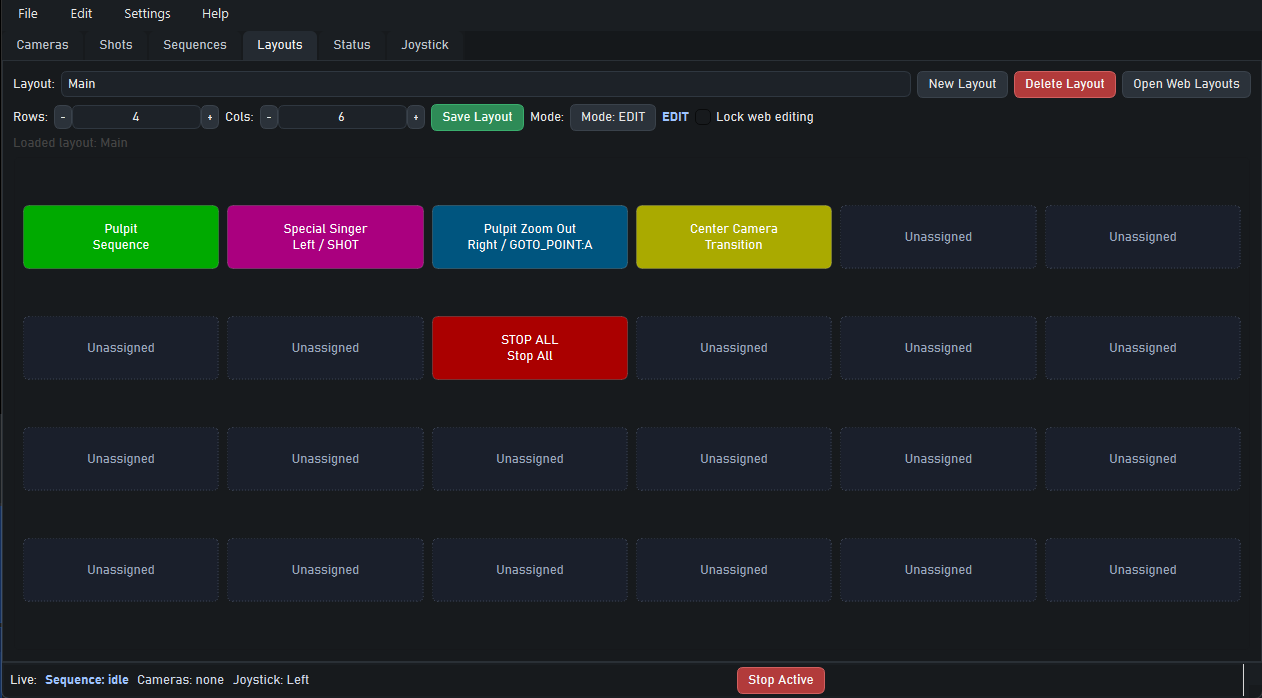
Surface the actions operators need most as a clean button wall during the show.
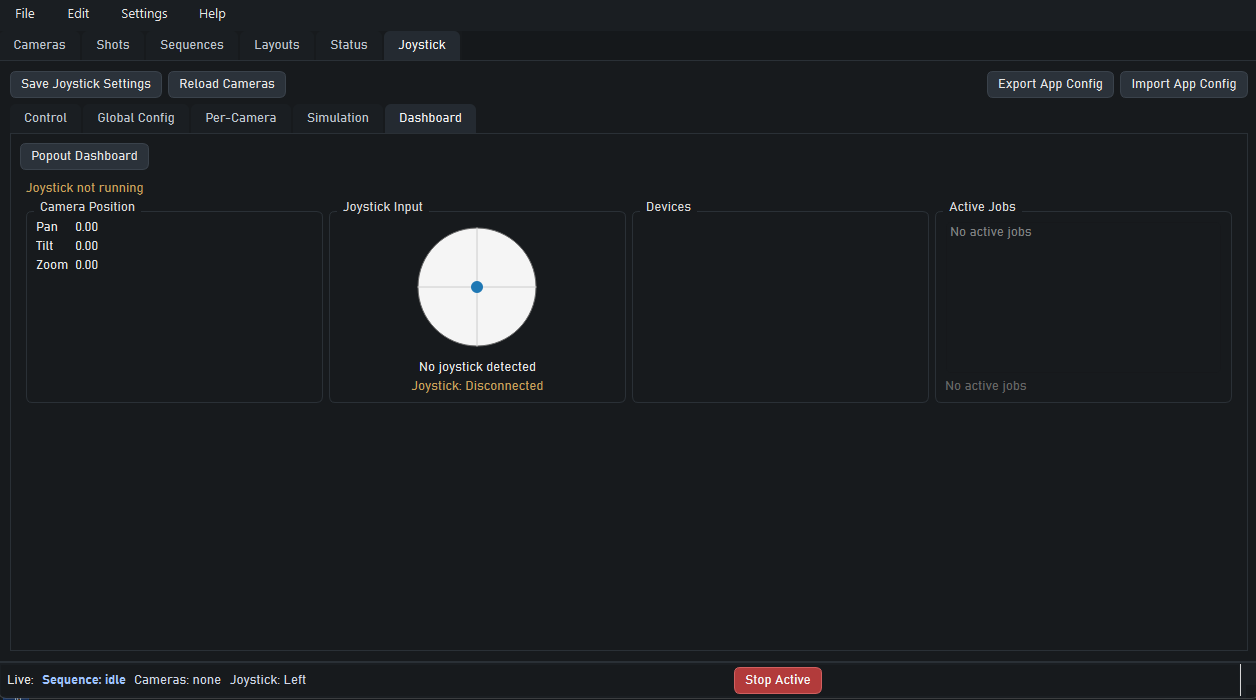
Track device status and active jobs while keeping tactile control in the loop.
Core capabilities
Capture points, build reusable shots, and create multi-point camera movement paths for repeatable operation.
Coordinate multiple cameras and timed shot actions for cleaner transitions during live production.
Trigger points, shots, and sequences from external tools, custom interfaces, or existing production systems.
Pricing
Start with a 7-day free trial, then continue for $4.99/month.